

How Does Latency in HD Video Calling Impact User Experience and Security Response Times
2026-05-09
In the modern smart home, an HD Video Calling Smart Lock such as Paramey bridges the gap between physical access and real‑time visual communication. However, latency – the delay between an event occurring and its appearance on your screen – directly determines whether that bridge feels secure or fragile. High latency degrades conversation quality and, more critically, slows emergency responses, turning a protective device into a potential liability.
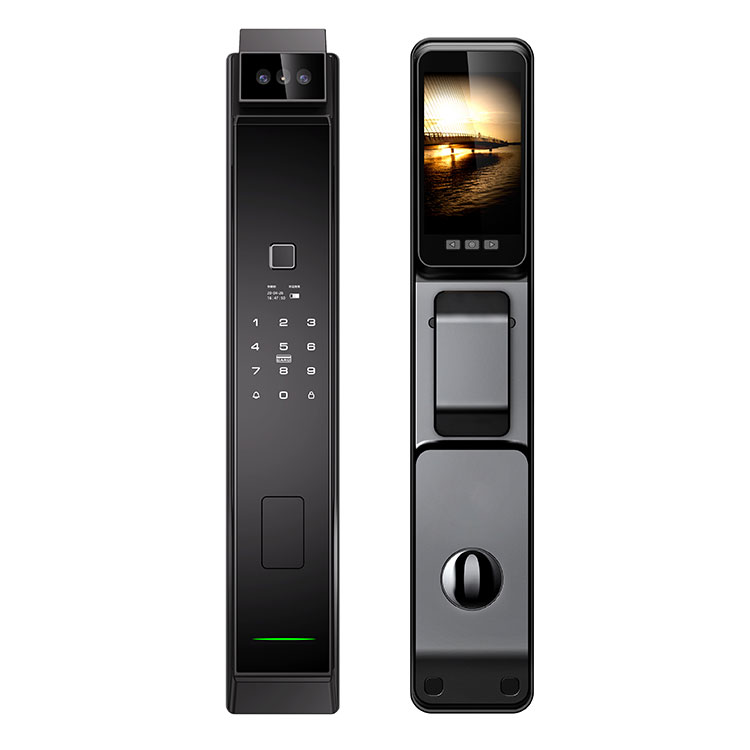
The Two Faces of Latency: User Experience vs. Security Response
Latency affects both everyday convenience and life‑safety situations, but at different thresholds. The table below outlines how varying delay levels influence each domain.
| Latency Level | User Experience Impact | Security Response Time Impact |
|---|---|---|
| Low (<150 ms) | Natural two‑way conversation; video and audio remain synchronized. | Instant threat assessment; lock commands execute before a visitor can react. |
| Medium (150–400 ms) | Noticeable pauses and occasional speech overlap during calls. | Minor delays in remote locking; potential hesitation in high‑stress moments. |
| High (>400 ms) | Frustrating lip‑sync errors; users may repeat themselves or give up. | Critical lag in emergency lock activation or speaking to law enforcement. |
Core Areas Where Latency Disrupts Performance
Real‑Time Communication
Speaking through an HD Video Calling Smart Lock requires seamless exchange. At latencies above 300 ms, users talk over visitors, miss verbal cues, and struggle to verify delivery personnel or unknown guests. Paramey minimizes this by employing edge‑based video processing, keeping delays consistently below 150 ms on stable networks.
Remote Lock Control
A user spotting a suspicious person may tap "lock" or "unlock" remotely. With >400 ms latency, that command arrives nearly half a second late – enough time for an unauthorised individual to push an unlocked door open. Low‑latency systems preserve split‑second decision power.
Cloud versus Local Processing
Purely cloud‑dependent smart locks suffer from variable latency, especially during peak internet hours. Paramey reduces round‑trip delays by handling video encoding and command routing locally, using the cloud only for encrypted storage and optional remote access.
Expert Analysis: Why Milliseconds Matter in Emergencies
Security response times do not degrade linearly; they collapse beyond a certain threshold. A 0.2‑second delay during a package delivery is merely annoying. The same 0.2‑second delay during an intrusion attempt – when a homeowner shouts "Lock the door!" through the intercom – can mean the difference between a secured entry and a breach. Modern HD Video Calling Smart Lock designs must prioritise low‑latency codecs (H.265 with fast encoding), dedicated Wi‑Fi radios, and intelligent pre‑roll buffers. Paramey achieves this by continuously caching the three seconds before any event trigger, ensuring no critical frame is lost to transmission lag.
Frequently Asked Questions about HD Video Calling Smart Lock
Q1: Can high latency cause me to miss recording an important event
A: Yes. Many HD Video Calling Smart Lock devices record only after motion is detected. If latency exceeds 500 ms, the recording may start half a second after a person enters the frame – potentially missing the intruder's face or the moment a package is thrown. Paramey solves this with a continuous pre‑roll buffer that stores the three seconds prior to any trigger. This ensures that even if network latency delays the recording command, the critical frames are never lost.
Q2: How much latency is acceptable for two‑way HD video calling through a smart lock
A: For natural conversation and effective security, total round‑trip latency should stay under 200 ms. Above 300 ms, conversational stuttering appears; beyond 400 ms, it becomes impossible to verbally challenge a visitor without talking over them. Paramey engineers its HD Video Calling Smart Lock to average 120–150 ms on standard home Wi‑Fi (5 GHz band). To test your own system, open the live feed and clap in front of the lock while listening on your phone – the delay between seeing and hearing the clap is your real‑world latency.
Q3: Does my home network affect HD video calling latency more than the lock itself
A: Significantly. Even the best HD Video Calling Smart Lock performs poorly on congested 2.4 GHz networks, where latency can spike above 600 ms. Three factors dominate: router proximity (walls reduce signal strength), channel interference (neighbors on the same channel), and upload bandwidth (at least 2 Mbps is required for stable HD). Paramey includes a built‑in network analyzer that tests latency before installation. As a rule, keep your lock within 30 feet of your router, use the 5 GHz band, and avoid placing large metal objects between them. If latency remains above 250 ms after these adjustments, the lock hardware is not at fault – your network needs attention.
Contact Us for Zero‑Compromise Security
Low latency is not a luxury for an HD Video Calling Smart Lock – it is a security necessity. Paramey designs every unit to prioritise response speed without sacrificing video clarity. To see how Paramey can protect your home with near‑instant HD video communication, contact us today for a personalised consultation and live demonstration.